What is a PI Planning template?
A PI Planning template is a ready-made set of documents for preparing, running and following up a SAFe PI Planning event: the two-day agenda, a readiness checklist, team capacity, PI objectives, dependencies, a ROAM risk register, the confidence vote and the retrospective. This page gives you all eight, free, as tables you can copy and as one Excel workbook.
Each template below matches a step of the event described in the PI Planning guide. PI Planning produces two outputs: committed PI Objectives and a board of features, dependencies and milestones.[1] The templates are built around capturing exactly those.
Free .xlsx file, no sign-up. Works in Excel, Google Sheets and Numbers.
What is in the free PI Planning template?
The Excel workbook has nine sheets: a read-me and eight templates. Example rows are shaded so you can see how each one is filled in, then overwrite them.
- Agenda: two days, session by session, with owners and outputs.
- Readiness checklist: what must be ready, by when and by whom.
- Team capacity: capacity per team per iteration, with load flagged when it goes over.
- PI objectives: committed and uncommitted objectives with planned and actual business value.
- Dependencies: who needs what from whom, and by which iteration.
- ROAM risks: a risk register with Resolved, Owned, Accepted or Mitigated status.
- Confidence vote: fist-of-five tallies with the average calculated.
- Retrospective: five questions with an owner for each action.
PI Planning agenda template
The standard PI Planning agenda runs over two days. Day one sets context and produces draft plans. Day two finalises the plans, ROAMs the risks, takes the confidence vote and closes with a retrospective.[1]
| Session | Day and time | Led by | Output to capture |
|---|---|---|---|
| Business context | Day 1, 08:00 | Business Owner or executive | Shared view of business priorities |
| Product and solution vision | Day 1, 09:00 | Product Management | Top features for the PI |
| Architecture vision | Day 1, 10:30 | System Architect | Enablers and technical direction |
| Planning context and lunch | Day 1, 11:30 | RTE | How the two days work |
| Team breakouts 1 | Day 1, 13:00 | Teams | Draft plans, objectives, risks, dependencies |
| Draft plan review | Day 1, 16:00 | Teams | Draft plans seen by the whole train |
| Management review | Day 1, 17:00 | RTE and Business Owners | Decisions on scope, people and dependencies |
| Planning adjustments | Day 2, 08:00 | Business Owners | Changes communicated to every team |
| Team breakouts 2 | Day 2, 09:00 | Teams | Final plans, business value assigned |
| Final plan review | Day 2, 11:00 | Teams | Plans accepted by Business Owners |
| ART risks | Day 2, 13:00 | RTE | Risks ROAMed in front of the train |
| Confidence vote | Day 2, 14:00 | RTE | Vote per team and for the train |
| Plan rework, if needed | Day 2, 14:15 | Teams | A plan the train is confident in |
| Retrospective and next steps | Day 2, 16:00 | RTE | Improvements for the next PI |
For a distributed train, split the agenda across shorter days and record the briefings. The remote PI Planning page shows how one shared board keeps every location in the same plan.
PI Planning preparation checklist template
Start preparing four to six weeks before the event. The checklist covers three kinds of readiness: the organisation (scope, people, dates), the content (vision, ranked features, architecture) and the logistics (venue or video, board, access).
| When | Item | Owner |
|---|---|---|
| 6 weeks before | Scope agreed: which product and which teams plan together | RTE |
| 6 weeks before | PI dates, iteration dates and the IP iteration published | RTE |
| 5 weeks before | Business Owners named, briefed and available for both days | RTE |
| 5 weeks before | Venue or video platform booked, with a breakout room per team | RTE |
| 4 weeks before | Top features ranked and refined, with acceptance criteria | Product Management |
| 4 weeks before | Architecture vision, enablers and non-functional requirements ready | System Architect |
| 3 weeks before | Milestones, fixed dates and external commitments listed | Product Management |
| 2 weeks before | Planning board set up with teams, iterations and features loaded | RTE |
| 2 weeks before | Everyone can open the board | Scrum Masters |
| 1 week before | Team capacity per iteration calculated, including leave | Scrum Masters |
| 1 week before | Agenda with time zones and communication channels sent | RTE |
| 1 week before | Fallback agreed in case a tool or connection fails | RTE |
Trains that are part of a Solution Train also run Pre-Plan activities so the ARTs are aligned before each of them plans.[2]
Team capacity template
Capacity tells each team how much it can plan per iteration. A simple method is people multiplied by available days, after leave and holidays, multiplied by a focus factor the team agrees. Teams that estimate in story points use their agreed estimation baseline instead.
| Team and iteration | People | Available days | Focus factor | Capacity | Planned load |
|---|---|---|---|---|---|
| Team Alpha, Iteration 1 | 6 | 56 | 0.7 | 39 days | 30 days: OK |
| Team Alpha, Iteration 2 | 6 | 60 | 0.7 | 42 days | 40 days: OK |
| Team Beta, Iteration 1 | 5 | 48 | 0.7 | 34 days | 36 days: over |
The spreadsheet calculates available days and capacity, and marks a row "Over" when planned load is higher than capacity. Those rows are what the team discusses before the draft plan review.
PI objectives template
PI Objectives "summarize the business and technical goals that teams and trains intend to achieve in the upcoming PI and are either committed or uncommitted."[3] Business Owners assign a planned business value to each objective during the event, commonly on a 1 to 10 scale, and score the actual value at the end of the PI.
| Objective | Type | Linked features | Planned value | Actual value |
|---|---|---|---|---|
| Customers can pay with saved cards on web and mobile | Committed | F-101, F-104 | 8 | 7 |
| Reduce checkout errors by half | Uncommitted | F-110 | 5 | Scored at PI end |
The spreadsheet calculates actual value as a percentage of planned value for each objective. Across the train, that comparison is the basis of the ART Predictability Measure.[3]
Dependency template
Record a dependency the moment one team realises it needs something from another, and agree the iteration it is needed in with both teams before the draft plan review.
| What is needed | Needed by | Provided by | Needed in | Status |
|---|---|---|---|---|
| Payments API endpoint for saved cards | Team Alpha | Team Beta | Iteration 2 | Committed |
Read the dependency management guide for how to map and reduce dependencies across a train.
ROAM risk register template
Every risk raised during planning is ROAMed in front of the train: Resolved, Owned, Accepted or Mitigated. The register keeps an owner and an action next to each one so no risk leaves the room unassigned.
| Risk | Impact and likelihood | ROAM status | Owner | Action and due date |
|---|---|---|---|---|
| Payment provider sandbox may not be ready before Iteration 2 | High, medium | Owned | RTE | Escalate to vendor, weekly check until end of Iteration 1 |
See the ROAM risk guide for examples of each category.
Confidence vote template
The confidence vote is usually a fist of five: everyone votes from one to five. A common working rule is that an average of three or more accepts the plan, and anyone voting one or two explains their concern.
| Team | 1 | 2 | 3 | 4 | 5 | Average |
|---|---|---|---|---|---|---|
| Team Alpha | 0 | 1 | 3 | 4 | 1 | 3.6 |
PI Planning retrospective template
Close the event with a short retrospective so the next PI Planning is better than this one. Five questions are enough.
- What went well and should we keep?
- What slowed us down or should change?
- What should we try at the next PI Planning?
- Was preparation enough, and what was missing?
- How did the tooling and the remote setup work?
When do spreadsheet templates stop working?
Spreadsheets work well for a first PI or a small train. They start to break when several teams edit at the same time, when plans must stay in sync with Jira or Azure DevOps, and when you need to track the PI against the plan after the event.
- Many editors at once. Ten teams updating one file during breakouts means conflicts and lost changes.
- Copying from Jira or Azure DevOps. Features and stories have to be typed in, and changes after the event are not reflected.
- Tracking the PI. A spreadsheet holds the plan, not progress, so predictability and scope change are worked out by hand.
Kendis has every template on this page built in: a live program board, capacity, dependencies, PI Objectives with business value, a ROAM risk register and the confidence vote, synced two-way with Jira and Azure DevOps. See how it works.
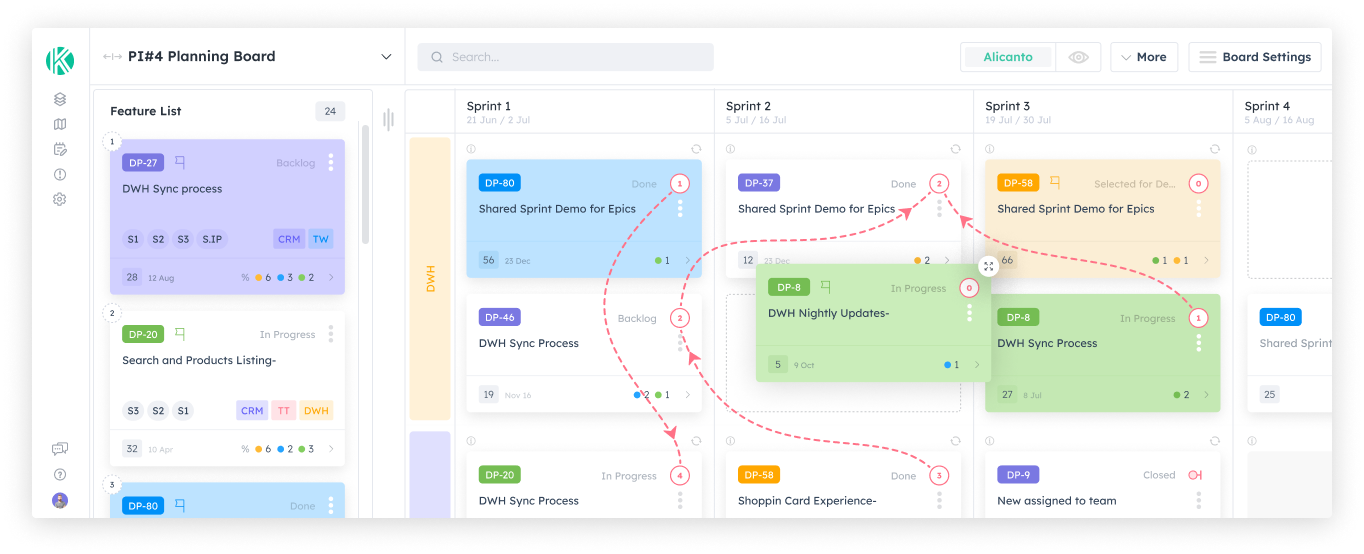
Run these templates live in Kendis, free for 6 months
Kendis is a PI Planning and tracking platform that sits on top of Jira and Azure DevOps. The free trial runs for six months, long enough to plan and track two full PIs with your real backlog before anyone has to approve a budget.
- 6 months free, no credit card
- Choose EU hosting (OVHcloud, Frankfurt) or US hosting (AWS)
- Planning board, dependencies, PI objectives, ROAM risks, solution boards
- Two-way sync with Jira Cloud, Jira Data Center and Azure DevOps
- ISO/IEC 27001 certified, GDPR compliant, DORA Schedule available
- No user caps and no setup costs during the trial
One trial per organisation that has not used Kendis in the last twelve months. After the trial, Premium Cloud is $14 per user per month billed annually, or $16 monthly, and you license only the people who plan. SSO, Kendis AI and premium support are part of paid plans. See pricing and the free trial terms.
More PI Planning resources
PI Planning template: frequently asked questions
Is there a free PI Planning template?
Yes. This page has free templates for the PI Planning agenda, readiness checklist, team capacity, PI objectives, dependencies, ROAM risks, the confidence vote and the retrospective, as tables and as one Excel workbook with no sign-up.
Can I run PI Planning in Excel?
Yes, for a first PI or a small train. Spreadsheets get hard to manage when many teams edit at once, when the plan must stay in sync with Jira or Azure DevOps, and when you track the PI after the event.
What should a PI Planning agenda include?
Day one: business context, product vision, architecture vision, planning context, team breakouts, a draft plan review and a management review. Day two: planning adjustments, team breakouts, the final plan review, ART risks, the confidence vote, plan rework if needed and a retrospective.
What goes on a PI Planning checklist?
Organisational readiness (scope, teams, Business Owners, dates), content readiness (business context, ranked features, architecture vision, capacity) and logistics readiness (venue or video platform, planning board, access and communication channels).
How do you write PI objectives?
Write each objective in plain language as an outcome, mark it committed or uncommitted, link the features that deliver it, and have Business Owners assign a planned business value, commonly from 1 to 10.
Can I use these templates in Jira or Azure DevOps?
Jira and Azure DevOps hold the features and stories, but not the agenda, objectives, ROAM risks or confidence vote. Kendis adds those on top of Jira and Azure DevOps with two-way sync, and is free for six months.
Sources
Every external claim in this guide links to the primary source below. All links were checked on 19 October 2026.
- Scaled Agile, Inc. PI Planning.
- Scaled Agile, Inc. Pre-Plan.
- Scaled Agile, Inc. PI Objectives.
The event structure and terms follow Scaled Agile's published SAFe guidance linked above. Timings, capacity method and example rows are Kendis examples to adapt, not SAFe requirements. If something is out of date, tell us and we will correct it.