It looks like you may prefer another language. Pick one to continue.
WSJF Prioritization Tool
Scroll Down
WSJF Prioritization for Maximum Impact
Kendis is a WSJF prioritization tool for SAFe and scaled agile teams. Score cost of delay and job size together, sequence features smartly, and sync priorities to Jira and Azure DevOps.
Weighted Shortest Job First (WSJF) is a rigorous prioritization model used in SAFe to help teams decide which work items deliver the greatest value relative to their size. At Kendis, our WSJF Viewer makes this process fast, transparent, and collaborative, so you can align your backlog with business goals and maximize ROI. New to WSJF? Read our WSJF guide with a free calculator.
One Powerful Workspace with All the Right Capabilities
Prioritize Any Work Item From Anywhere
Pull in features, epics, enablers from Program Boards or Collections and focus only on high-value features by quantifying delaying cost vs effort.
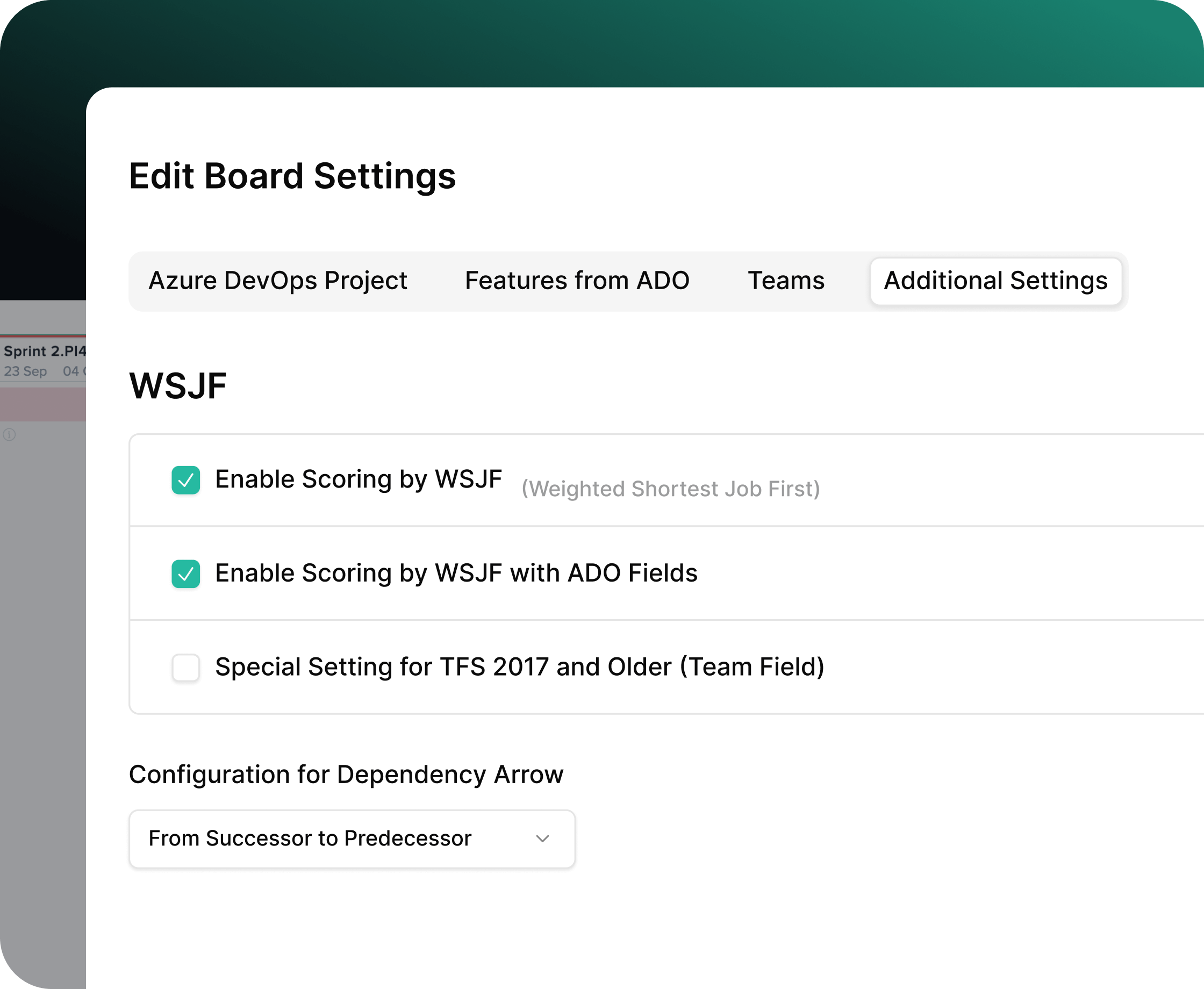
Fully Configurable WSJF Formula
Customize all scoring fields: CoD components, job size, custom attributes. Include/exclude fields based on how your ART or Portfolio calculates value
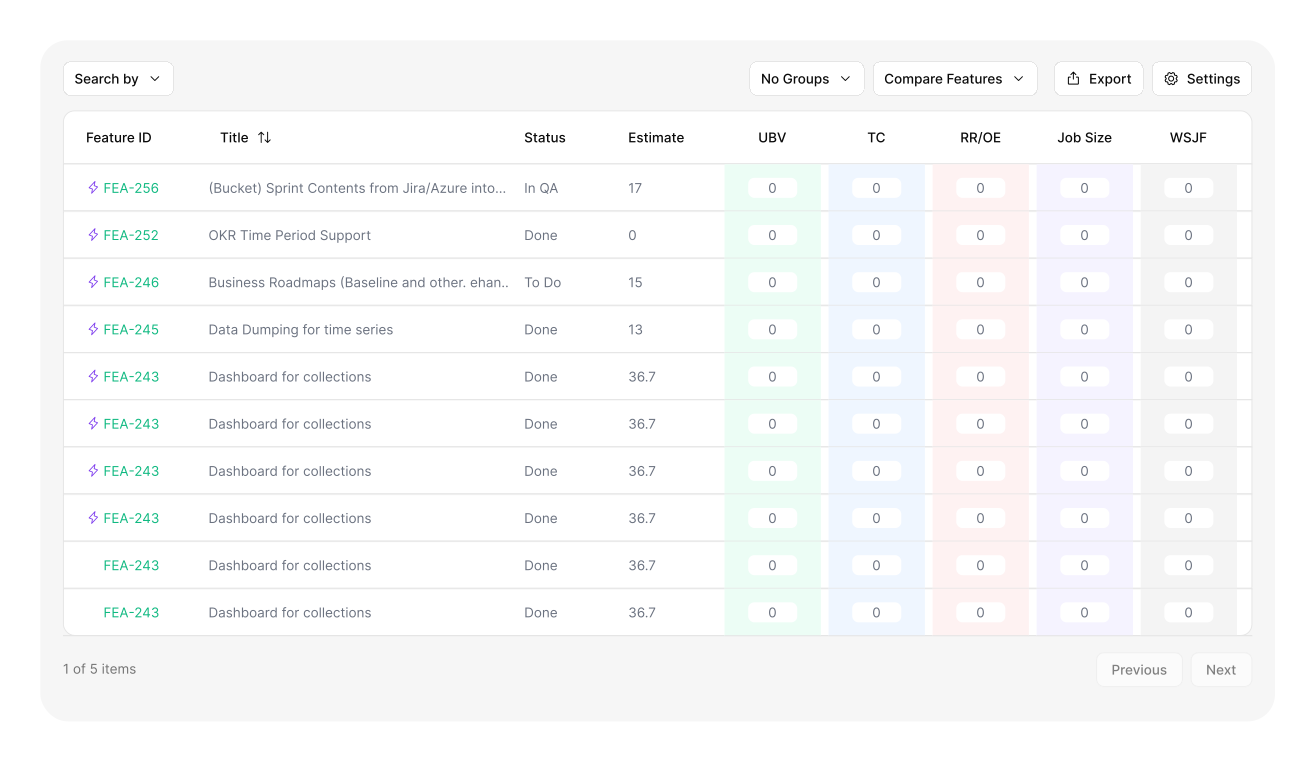
Scoring Interface
Compare items with a distraction-free scoring panel. All fields auto-calculate the WSJF score in real time.
Powerful Sorting & Filtering
Sort instantly by highest score, lowest score, or original order. Filter by teams, ARTs, increment, type, or custom fields. Advanced search for complex work item lists.
Collaboration & shared understanding
Score together in one shared panel. Everyone sees the same fields, numbers and ranking as they change, so the conversation stays on value instead of spreadsheets.
Program Board & Timeline Views
Once features are scored in the WSJF Viewer, this score becomes a standard prioritization field available across your Kendis board views.
How WSJF Works in Kendis
01. Select Work Items
Open the WSJF workspace, choose items from your Program Board or Collection.
02. Score Together
Use the collaborative scoring panel to enter CoD and Job Size. See scores update instantly.
03. Compare & Sort
Sort by WSJF to spot the highest-value work immediately. Apply filters to focus your discussion.
04. Finalize & Sync
Push scores and priorities back to your planning boards, and to Jira if integrated.
Teams often tend to work on features that will take longer or features that are deemed highly important instead of working on features that will provide immediate value first. This causes organizations to miss out on reaping value from features while working on others. WSJF solves this issue for you.
Cost of Delay
Understanding the economic impact of delaying work
Cost of Delay (COD)
=
User-Business Value
+
Time Criticality
+
Risk Reduction
Here are three components of cost of delay:
User-Business Value
Relative Value to the customer or business
They prefer this over that
Revenue Impact?
Potential penalty or other negative impact
Time Criticality
How user/business value decays over time
Is there a fixed deadline?
Will they wait for us or move to another solution?
What is the current effect on customer satisfaction?
Risk Reduction and/or Opportunity Enablement
What else does this do for our business?
Reduce the risk of this or future Delivery?
Is there value in the information we will receive?
Enable new business opportunities?
WSJF Formula
This is the formula our calculator computes automatically for you – so no need to add the title mathematician to your resume.
User-Business Value
+
Time Criticality
+
Risk Reduction and/or Opportunity
=
Cost of Delay
÷
Job Size
=
WSJF
Calculate WSJF for Sample Features
Output of WSJF
The outcome of WSJF creates clearer feature prioritization and provides more end user value. It allows you to think analytically instead of simply deciding on importance.
Program Backlog
Feature 1
Feature 2
Feature 3
Feature 5
Feature 7
Feature 9
Prioritized Backlog by WSJF
#1 Feature 3
8.67
#2 Feature 1
3.20
#3 Feature 5
2.25
#4 Feature 7
1.63
#5 Feature 2
1.00
#6 Feature 9
0.54
Calculate WSJF for Sample Features
Feature
User Value
Time Critical
Risk/Opp
COD
Job Size
WSJF
Priority
Feature 3
9
9
8
26
3
8.67
#1
Feature 1
8
5
3
16
5
3.20
#2
Feature 5
8
5
5
18
8
2.25
#3
Feature 7
5
5
3
13
8
1.63
#4
Feature 2
3
3
2
8
8
1.00
#5
Feature 9
3
2
2
7
13
0.54
#6
Integrations & Features in Kendis
WSJF scores, job sizes, and CoD components sync instantly with the connected ALM system.
Where WSJF Fits in Kendis
Pre-PI prioritization
Portfolio/ART level capacity discussions
Feature-level trade-off decision
Quarterly planning
See how WSJF works inside Kendis, watch the full walkthrough.
FAQ
Frequently asked questions
What teams ask before they prioritize their backlog with WSJF in Kendis.
WSJF (Weighted Shortest Job First) is a prioritization framework used to rank work items (like features, epics, and enablers) by the value they deliver relative to the time and effort required to complete them.
In Kendis, WSJF helps teams make better decisions by breaking down complex prioritization into quantifiable inputs such as business value, risk reduction, and job size.
Kendis calculates the WSJF score using the standard SAFe® formula:
WSJF Score = (Business Value + Time Criticality + Risk Reduction / Opportunity Enablement) ÷ Job Size
Yes, Kendis lets you customize how you score WSJF components to fit your organization’s planning style. Adjust the weight or scale for Business Value, Risk Reduction, Time Criticality, and Job Size. Input custom field values or select from predefined options.
Absolutely, Kendis supports running WSJF across all levels of planning: features, epics and enablers. This flexibility means you can prioritize everything from high-level strategy (epics) down to executable pieces (features and enablers) using the same scoring logic.
Yes, WSJF scores in Kendis are tightly integrated with your Program Board views.
When you: Update score inputs, Recalculate WSJF scores, or Re-prioritize items
Yes. WSJF scores, job sizes and cost of delay components sync with the connected ALM system, so priorities set in Kendis show up in Jira or Azure DevOps.
Use WSJF for pre-PI prioritization, portfolio and ART capacity discussions, feature-level trade-offs and quarterly planning. Scores become a standard field on your program board and timeline views.
This page covers WSJF prioritization inside Kendis. For the WSJF formula, worked examples and a free calculator, read the WSJF guide.
Yes. Kendis is free for six months with Premium Cloud features and no credit card. Start your free trial or book a demo to see WSJF on your own backlog.



 User-Business Value
 Time Criticality
 Risk Reduction


 Calculate WSJF for Sample Features