The Best PI Planning Tool for Jira and Azure DevOps
Kendis is a Program Increment (PI) Planning tool that lets Agile Release Trains plan, run and track SAFe PI Planning on one live program board connected to Jira and Azure DevOps. Map cross-team dependencies, align PI objectives and manage ROAM risks, and finish PI Planning in a quarter of the time.
- No credit card
- EU or US hosting
- ISO/IEC 27001 certified
Trusted by teams at





All-in-One Tool for Planning and Delivery Tracking
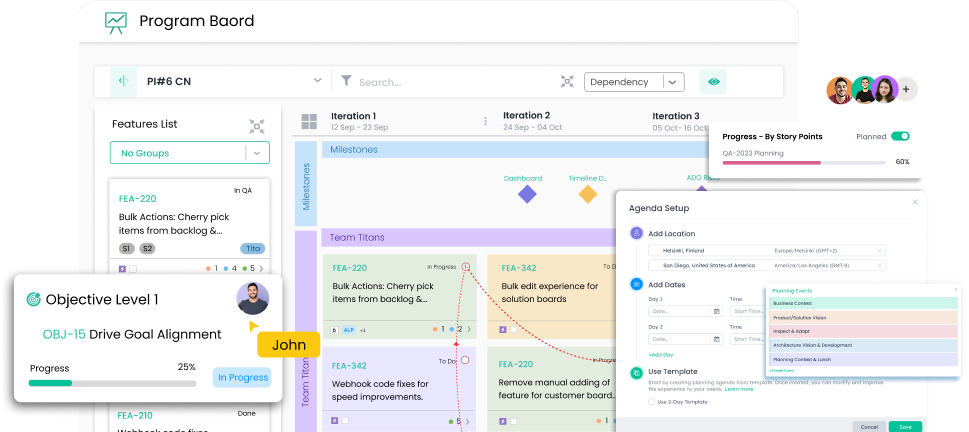
Simplify Pre-Planning
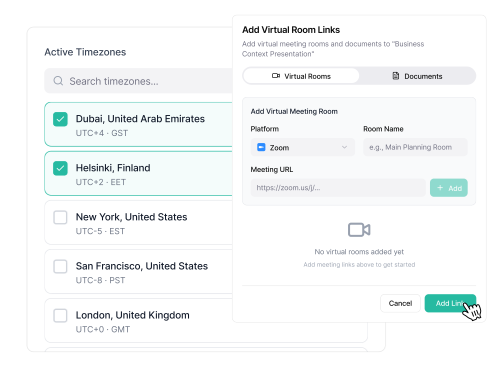
Distributed PI Planning for Remote Teams
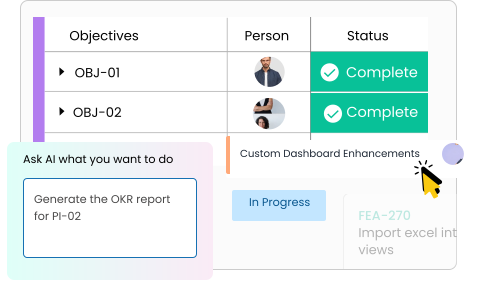
Delivery Tracking
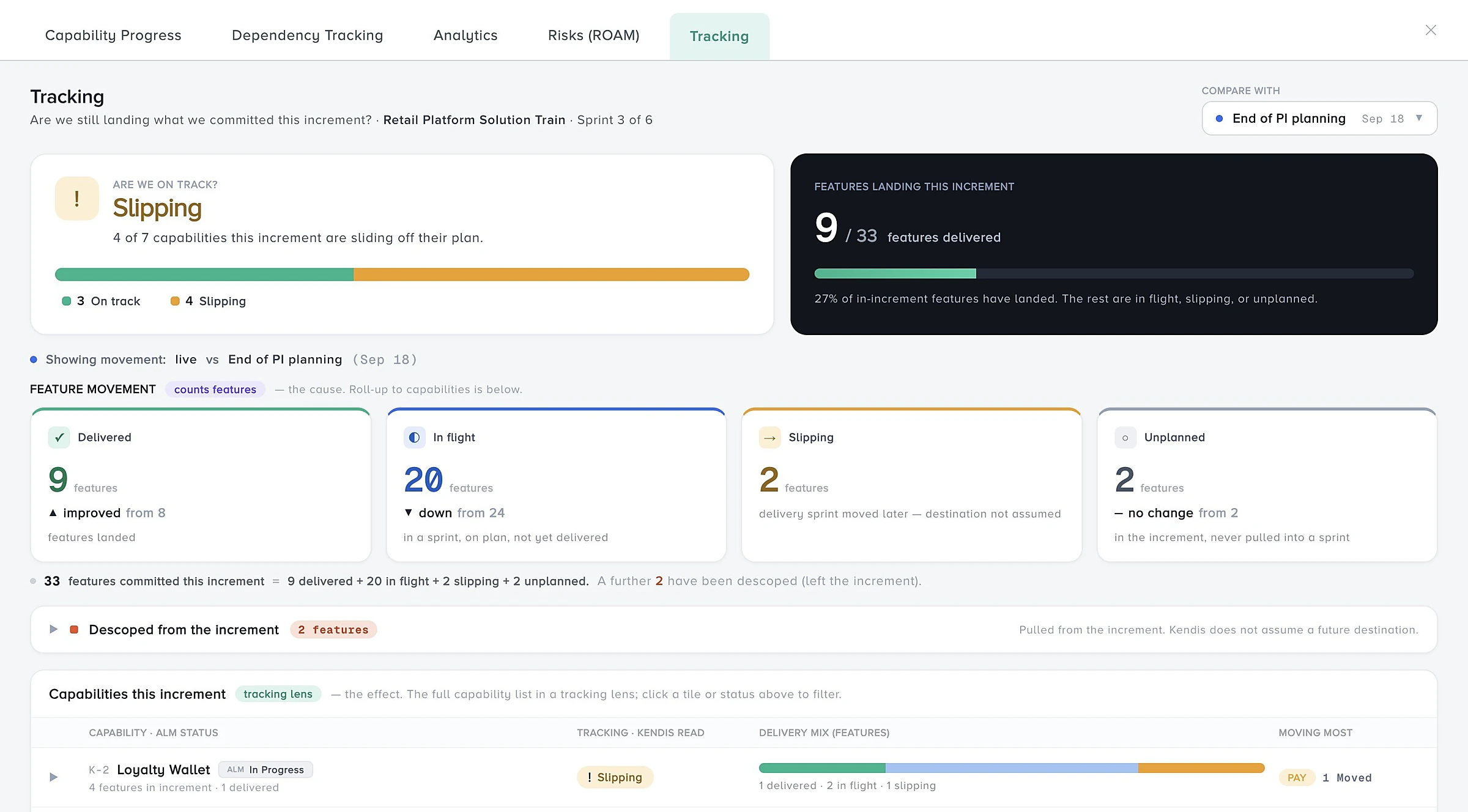
A Dynamic Program board for Planning ART
Provides a centralized view of planned items and what ART is delivering throughout the increment. Seamlessly map features, dependencies, and milestones across teams
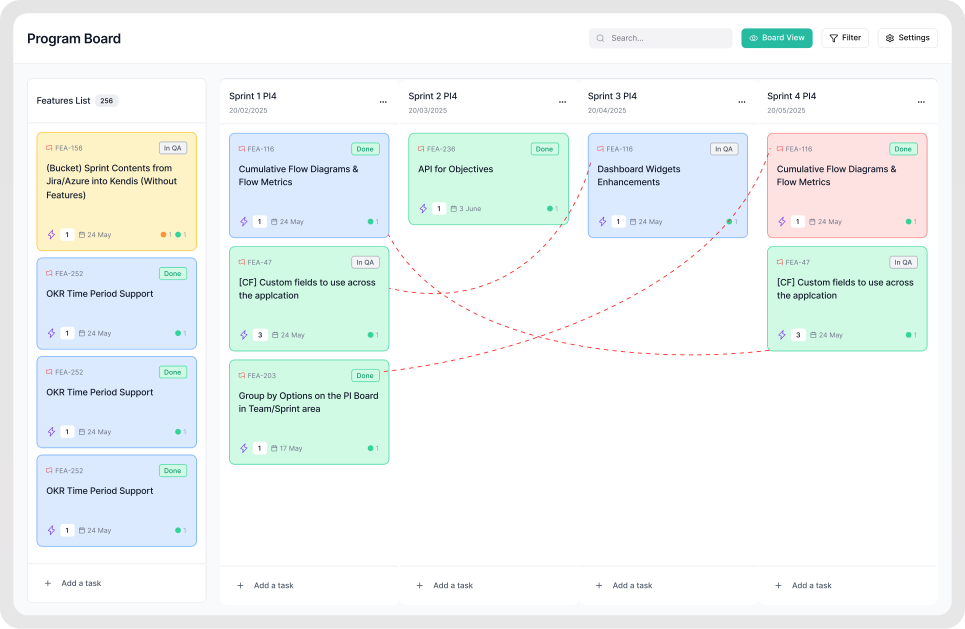
- Dependencies
- Objectives
- Team Capacity
- ROAM Risk
- Analytics
- Scrum of Scrums
How PI Planning works in Kendis
Five steps from preparation to delivery, on the same board your teams already sync with Jira or Azure DevOps.
Prepare the PI
Prioritize features with WSJF on a pre-planning Kanban, set team capacity per iteration and publish the agenda and business context.
Plan in team breakouts
Teams place features in iterations against their capacity, write stories in Jira or Azure DevOps and draft their PI objectives.
Review dependencies and drafts
Draw cross-team dependencies on the program board and review every team's draft plan together.
ROAM risks and commit
Adjust plans, ROAM the risks, finalize PI objectives and run the confidence vote for the whole train.
Track delivery
Switch the board to Tracking to snapshot the plan, then follow progress, dependencies, objectives and risks in real time.
New to the event itself? Read the PI Planning guide for the full agenda, roles and checklist.
Centralized PI Planning Ceremonies for Agile Release Trains
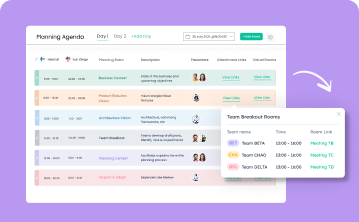
Planning Agenda
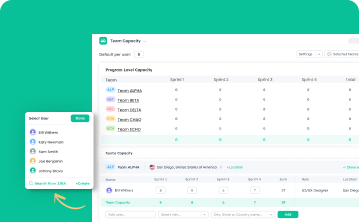
Team Capacity
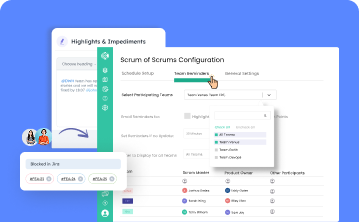
Scrum of Scrums
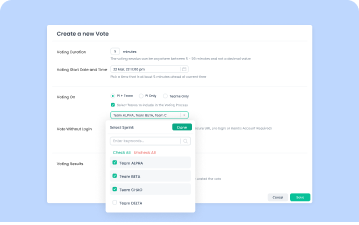
Confidence Voting
Keep Dependencies, Objectives and Risks on Track
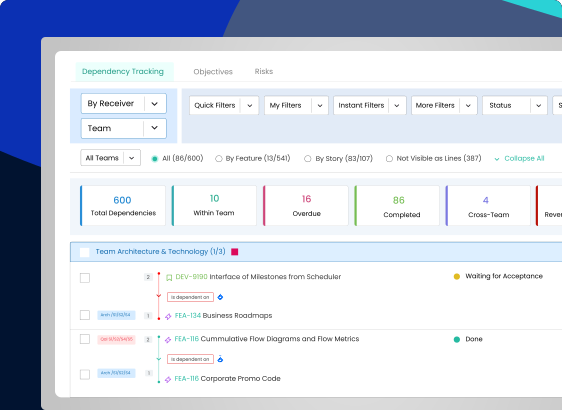
Manage Cross-Team Dependencies
- Draw a dependency on the board and it is created in Jira or Azure DevOps
- Alerts when a dependency date is missed
- Totals by team, overdue, completed and cross-team
- Filter and sort by team, provider or receiver
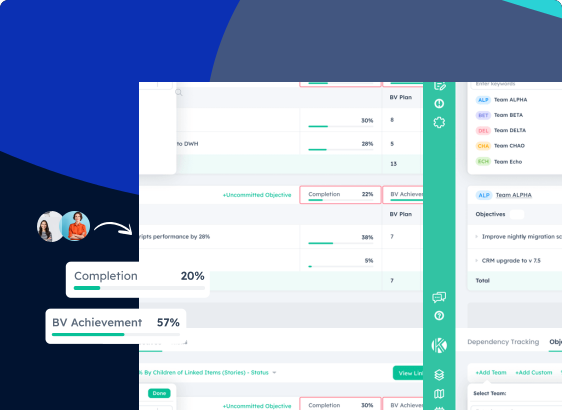
Objectives & Key Results Visualization
- ART predictability from planned vs actual business value
- Team, program and organisation-level OKRs
- Check-ins and progress tracking in one place
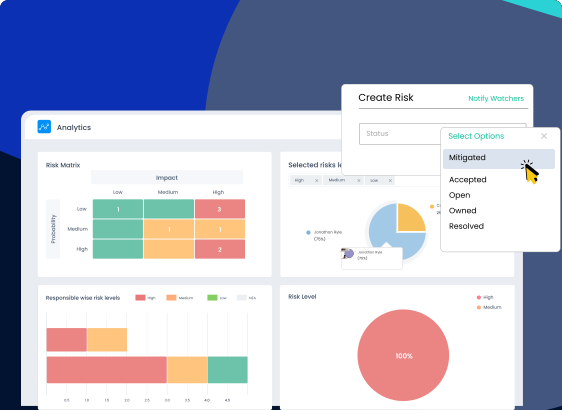
Identify Blockers with ROAM Risk Tracking
- Risk level from probability and impact
- Mitigation actions with target resolution dates
- Risks linked to the features and stories they affect
Who uses Kendis for PI Planning?
Everyone on the Agile Release Train works from the same board, each with the view they need.
Release Train Engineers
- Run the agenda, breakouts and reviews
- See dependencies that need attention
- Facilitate ROAM and the confidence vote
Product Management
- Prioritize the ART backlog with WSJF
- Share vision and business context
- Track features and PI objectives
Scrum Masters and teams
- Plan features against team capacity
- Create stories in Jira or Azure DevOps
- Raise risks and dependencies as they plan
Business Owners
- Assign business value to PI objectives
- Review the final plan and risks
- Follow delivery against the plan
Kendis vs spreadsheets and digital whiteboards
Many trains start Big Room Planning on spreadsheets or a whiteboard. This is where a dedicated SAFe PI Planning tool differs.
| Spreadsheets | Digital whiteboards | Kendis | |
|---|---|---|---|
| Link to Jira and Azure DevOps | Manual copy and paste | Cards copied in, then drift | Two-way, real-time sync |
| Dependencies | Rows in a separate tab | Drawn lines with no owner | Linked items with owner, dates and alerts |
| Capacity | Formulas per team | Not tracked | Load against capacity per iteration |
| PI objectives and risks | Separate lists | Sticky notes | Records with business value, ROAM status and history |
| After PI Planning | Goes stale | Board is archived | Same board tracks delivery against the plan |
Run your next two PI Planning events free
Kendis is a PI Planning and tracking platform that sits on top of Jira and Azure DevOps. The free trial runs for six months, long enough to plan and track two full PIs with your real backlog before anyone has to approve a budget.
One trial per organisation that has not used Kendis in the last twelve months. After the trial, Premium Cloud is $14 per user per month billed annually, or $16 monthly, and you license only the people who plan. See pricing and the free trial terms.
- 6 months free, no credit card
- Choose EU hosting (OVHcloud, Frankfurt) or US hosting (AWS)
- Planning board, dependencies, PI objectives, ROAM risks, solution boards
- Two-way sync with Jira Cloud, Jira Data Center and Azure DevOps
- ISO/IEC 27001 certified, GDPR compliant, DORA Schedule available
- No user caps and no setup costs during the trial
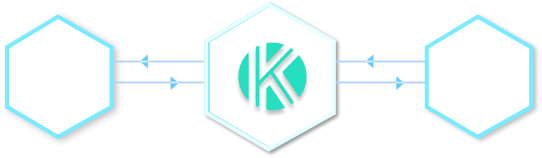
Bi-directional sync for a Unified View Across ALM Tools
More Capabilities to Support Your Quarterly Planning

Customizable Dashboards
Build dashboards tailored to roles to stay aligned, informed, and adaptable at every step.
Learn more
Analytics & Smart Reports
Gain instant insights into team progress, sprints and dependency status with real-time reports.
Learn more
Timeline-Based Views
Visualize delivery timelines across teams, sprints, and features to track alignment.
Learn more
Collab Board
Kendis enables virtual whiteboarding with structure, great for remote or hybrid planning.
Learn morePI Planning with Kendis, in practice
Trusted by over 9,000 organizations worldwide.
Frequently asked questions
What teams ask before they run PI Planning in Kendis.
PI Planning is the event where all teams on an Agile Release Train plan the next Planning Interval together, typically over two days, around a shared vision, objectives and a program board. For the agenda, roles and a checklist, read our PI Planning guide.
Yes. Kendis is built for co-located, hybrid and fully remote PI Planning, with a live program board, a digital planning agenda that adjusts for time zones, and virtual breakouts for distributed teams.
Yes. You can run the confidence vote for the whole Release Train or for selected teams, and people without a Kendis account can take part through a secure link.
With solution boards, portfolio dashboards, and roadmap views, Kendis helps you manage multiple projects and programs with full visibility.
Yes, Kendis supports all agile scaling frameworks including LeSS, Scrum, Spotify Tribe Model. For more information visit this page: scaling Agile Framework
Real-time program reports, sprint reports, dashboards, velocity charts, and dependency breakdowns, perfect for ART syncs and stakeholder reviews.
Kendis offers two-way, real-time sync with Jira Cloud, Jira Data Center and Azure DevOps, including Microsoft TFS. Features, stories, iterations and dependency links stay in your tool, and Kendis adds the cross-team planning layer. See all integrations.
Yes. Kendis is free for six months with no credit card, long enough to plan and track two full PIs with your real backlog. Start your free trial.
You choose at signup: the European Cloud on OVHcloud in Frankfurt, Germany, or the Global Cloud on AWS in the United States. Kendis is ISO/IEC 27001 certified and GDPR compliant.