
PI Planning tool for Azure DevOps
Plan and track your Program Increment on top of Azure DevOps. Features, stories, iterations and dependencies stay in Azure Boards or TFS, and Kendis adds the cross-team program board with two-way sync.
- Azure DevOps and TFS
- 15-step walkthrough
- Free for 6 months
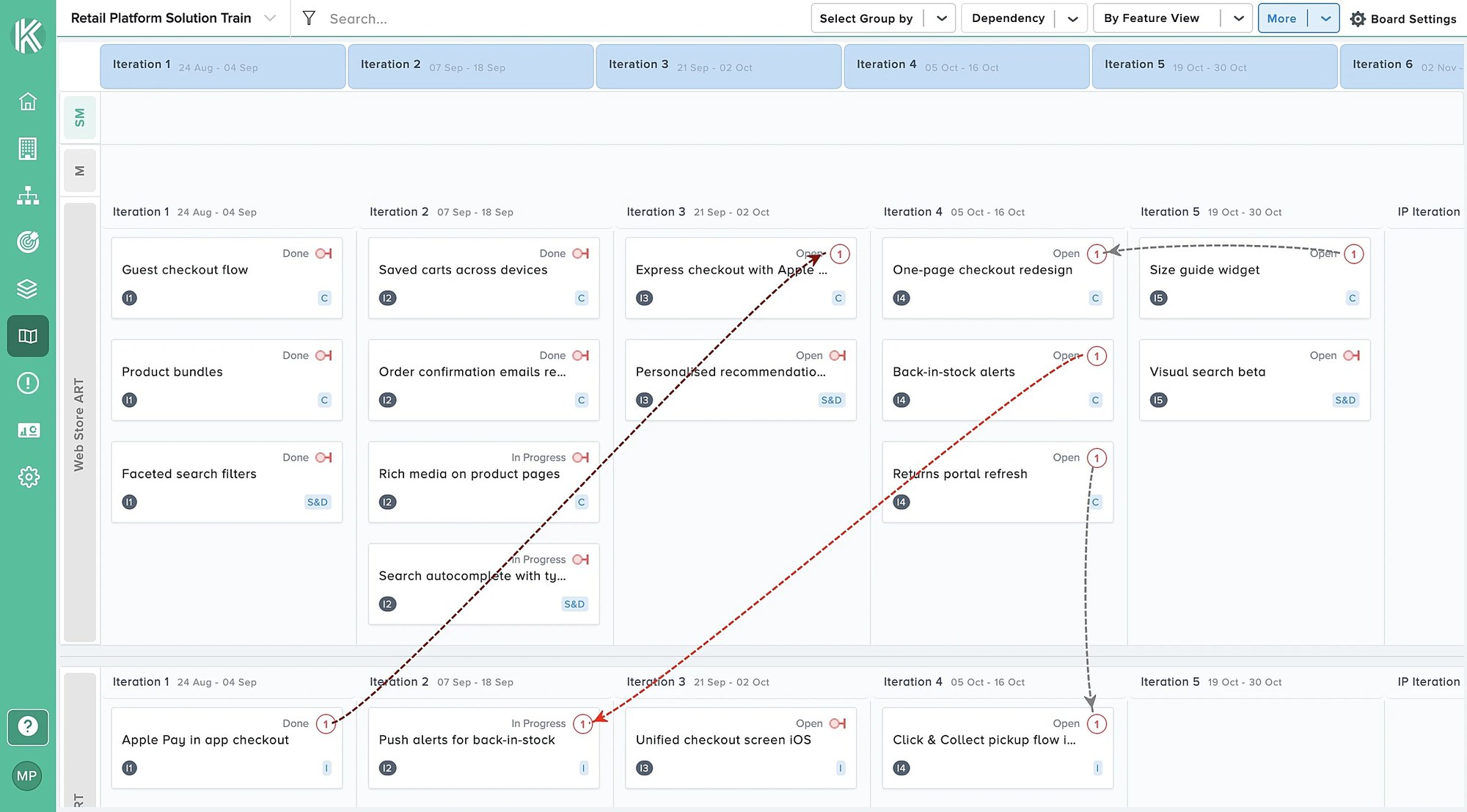
Visibility and transparency
Map work items from Azure Boards or TFS onto a flexible Kendis program board, for a much clearer view of your PI than Azure DevOps gives on its own.
- Features and stories from Azure Boards or TFS
- Teams mapped to area paths and iterations
- Group the board by Azure DevOps team
Quick setup
Connect Azure DevOps or TFS with a personal access token or OAuth, load your projects, and your work items sync to Kendis in seconds through the Azure DevOps REST API.
- Personal access token or OAuth
- One or more projects per board
- Service hooks for real-time updates
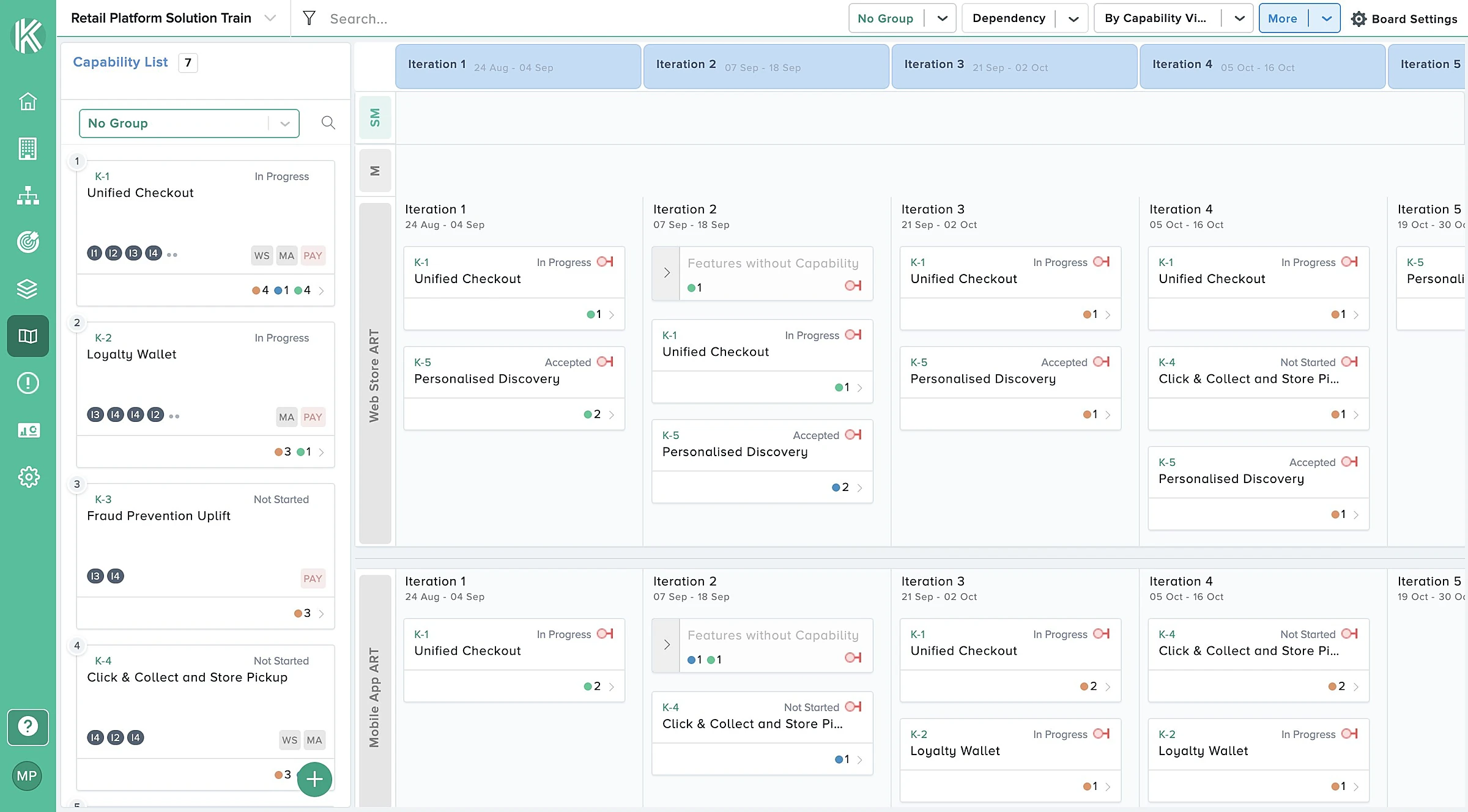
Get features with queries
Retrieve the work items you want to plan with Azure DevOps queries or WIQL. Two-way sync keeps Kendis and Azure DevOps accurate and in step.
- Features from a query or WIQL
- Linked stories come in with their features
- Estimate and due-date fields mapped per project
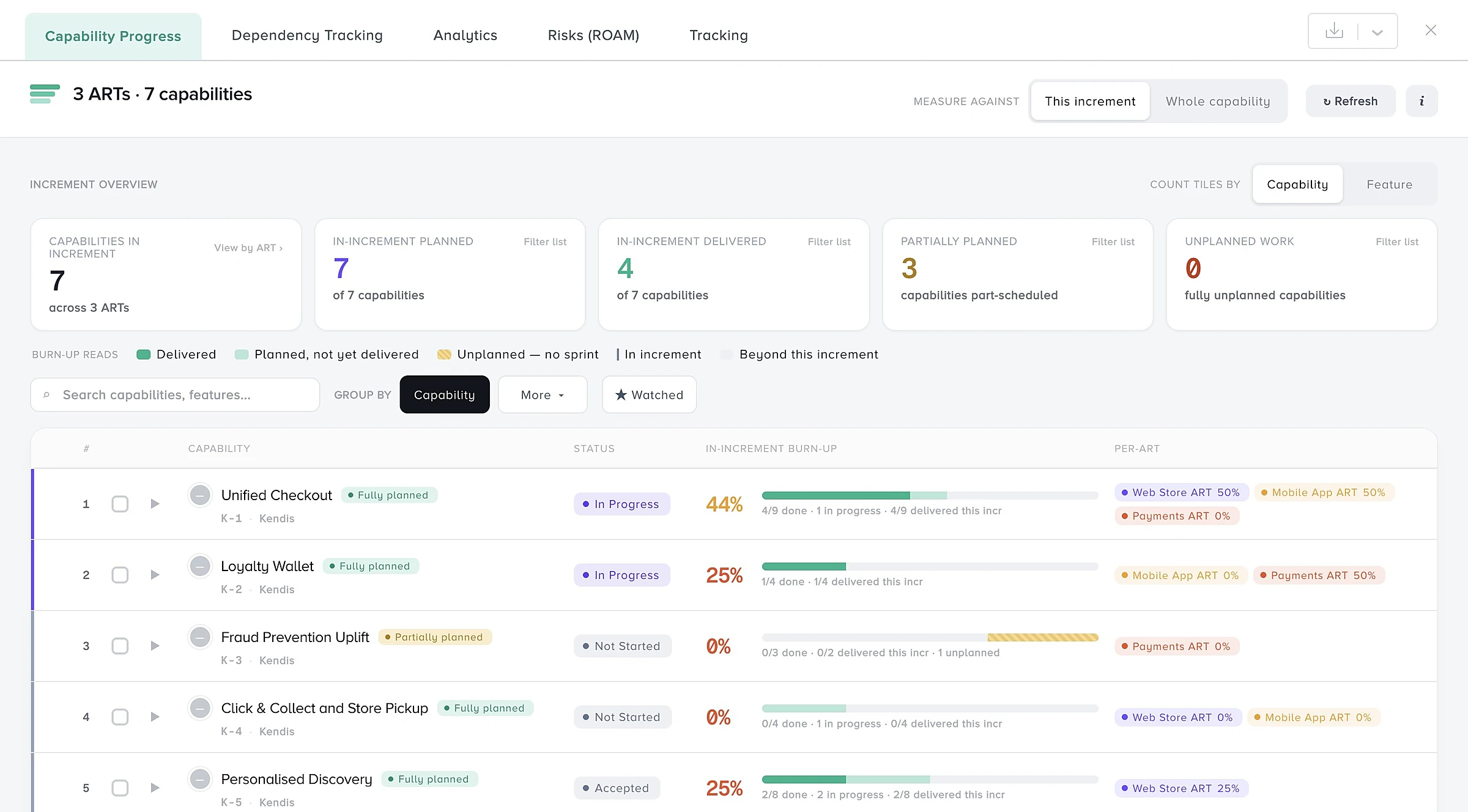
Dependencies that stay in Azure DevOps
Draw dependencies between features and stories on the board. They sync both ways as Azure DevOps link types, such as Successor and Predecessor.
- Dependencies as Azure DevOps link types
- Status and owner for every dependency
- Visible in Kendis and in Azure Boards
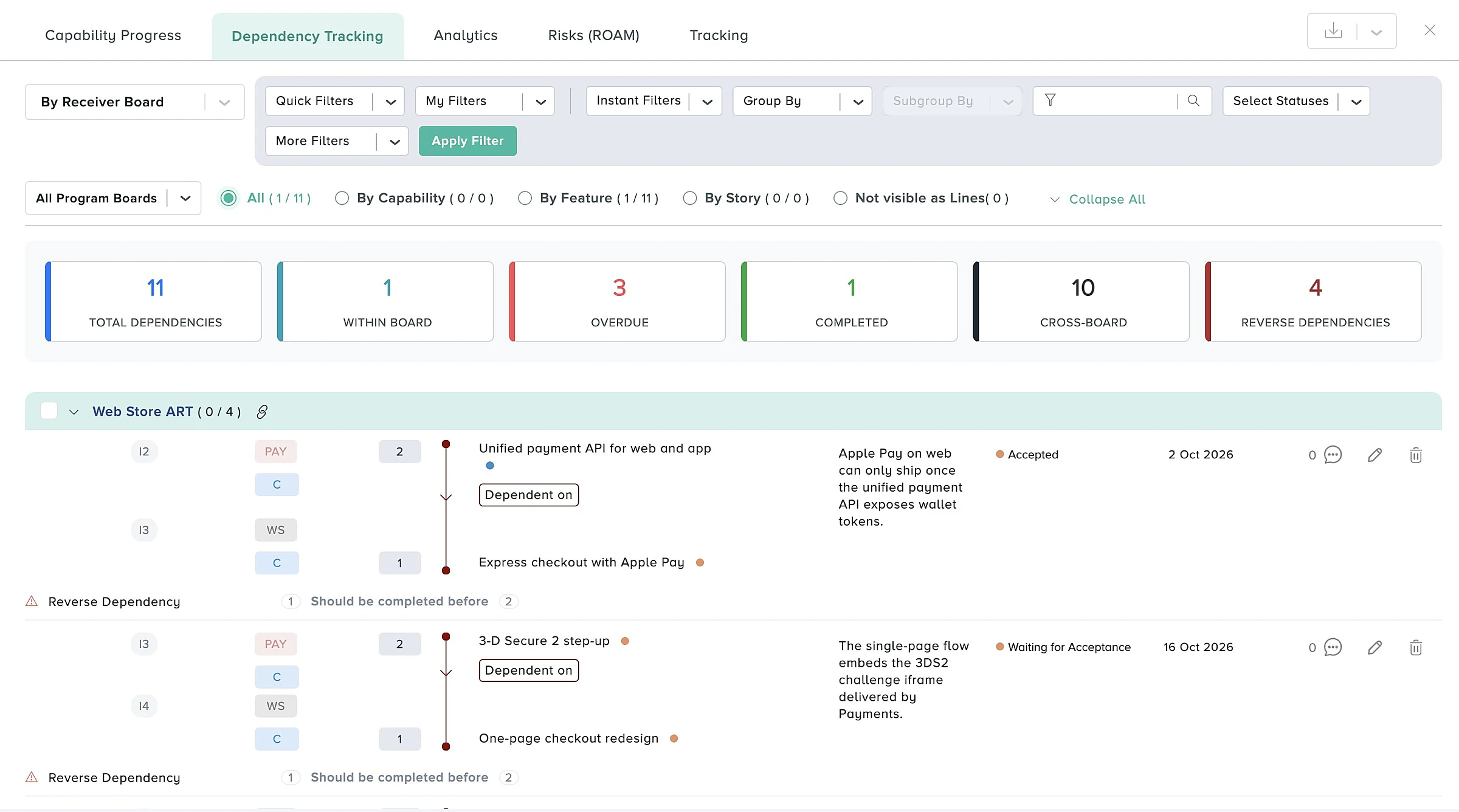
How to run PI Planning in Azure DevOps
Fifteen steps in three phases, from connecting Azure DevOps to tracking the PI.
Before PI Planning
Set up the board, connect Azure DevOps and load the work.
Create the board
Create a board for the Program Increment, choose Azure DevOps (or TFS 2018 or 2019) as its type, and set the PI dates and iteration length.
Connect Azure DevOps
Add your organisation URL and a personal access token, or set up OAuth, then test the connection.
Load your projects
Load one or more projects. Kendis reads their statuses and work item types and creates a service hook for each, so changes reach the board in real time.
Map the teams
Map each team to its project, team, default area path and iterations. Each team gets its own swimlane.
Bring in features
Fetch the features you want to plan with an Azure DevOps query or WIQL. Linked stories come in with them.
Map fields and rank
Map the estimate and due-date fields for each project, then rank the features and record their business value.
During PI Planning
Teams plan on the board while every change is written to Azure DevOps.
Set capacity
At the start of the first breakout, each team sets its capacity for every iteration.
Plan stories into iterations
Teams pull features into iterations and break them into stories. New stories are created in Azure DevOps, linked to the feature and assigned to the iteration.
Draw dependencies
Draw dependencies between features and stories. They sync to Azure DevOps as link types, such as Successor and Predecessor.
Write PI objectives
Write PI objectives, mark them committed or uncommitted, and link them to the features that deliver them.
Check load and review
Check load against capacity for every team and iteration, then present the draft and final plans straight from the board.
ROAM and vote
ROAM the risks, link them to the features they affect, and run the confidence vote for each team and the PI.
After PI Planning
The same board tracks the PI against the plan.
Switch to tracking
Switch the board to Tracking. The plan made in the event becomes the baseline.
Track scope change
See features added or removed and stories that moved iteration since the baseline, as they change in Azure DevOps.
Review in ART Sync
Review dependencies and objectives in each ART Sync, group the board by Azure DevOps team, and share it with stakeholders.
Everything you need for scaled agile on top of Azure DevOps
Program boards
Plan every team, sprint and feature on one live board, in the room or remote.
Learn moreDependencies
Map cross-team dependencies, give each a status and owner, and track them.
Learn moreROAM risks
Raise, ROAM and track the risks to your PI on a shared board.
Learn morePI objectives
Write team and program objectives with business value and link them to features.
Learn moreReports and analytics
See progress, scope change and delivery in charts and tables.
Learn moreWorks with Azure DevOps Services and TFS
Azure DevOps
Connect Azure DevOps Services with a personal access token or OAuth.
See the integrationMicrosoft TFS
Connect Team Foundation Server 2018 and 2019, now Azure DevOps Server.
See the integrationSelf-hosted Kendis
Run Kendis inside your network when TFS is only reachable there.
See the integrationAI-assisted PI Planning in Azure DevOps: how Kendis AI helps
Kendis AI, called Charlie, works inside the planning flows you already use. It reads your real board data, so there is no prompt writing.
- ObjectivesGenerates clear, measurable PI Objectives from your planned features and stories, up to ten at a time.
- DependenciesDrafts the summary and description of a dependency from the feature, story, iteration and team involved.
- RisksDescribe a risk in plain language and it proposes a title, description, mitigation actions, probability and impact.
- ReportsBuilds an end of PI Planning report with a health score, dependency analysis and a risk summary.
Kendis AI is part of the ORG Views plan. You can switch ORG Views on for a 14-day trial at any time, including during the six-month free trial. See what Kendis AI does.
Run your next two PI Planning events in Azure DevOps, free
Kendis is a PI Planning and tracking platform that sits on top of Jira and Azure DevOps. The free trial runs for six months, long enough to plan and track two full PIs with your real backlog before anyone has to approve a budget.
One trial per organisation that has not used Kendis in the last twelve months. After the trial, Premium Cloud is $14 per user per month billed annually, or $16 monthly, and you license only the people who plan. See pricing and the free trial terms.
- 6 months free, no credit card
- Choose EU hosting (OVHcloud, Frankfurt) or US hosting (AWS)
- Two-way sync with Jira Cloud, Jira Data Center and Azure DevOps
- Planning board, dependencies, PI objectives, ROAM risks, solution boards
- ISO/IEC 27001 certified, GDPR compliant, DORA Schedule available
- No user caps and no setup costs during the trial
Frequently asked questions
What teams ask before they plan PI Planning in Azure DevOps with Kendis.
Azure DevOps manages team backlogs and sprints, and Delivery Plans show work across teams, but it has no program board for planning a PI with every team. Kendis adds that board on top of Azure DevOps and syncs both ways.
No. Features, stories, iterations and dependency links stay in Azure Boards or TFS. Kendis adds the cross-team planning layer.
Create a board, add your organisation URL and a personal access token or OAuth, load your projects and fetch features with a query. Service hooks keep changes in sync in real time.
Yes. Kendis supports Team Foundation Server 2018 and 2019 with a personal access token.
Yes. Kendis is free for six months with no credit card, long enough to plan and track two full PIs with your real Azure DevOps backlog.